Simple Mode
#Video walkthrough
Detailed overview
#Basics
Basics
#Page image
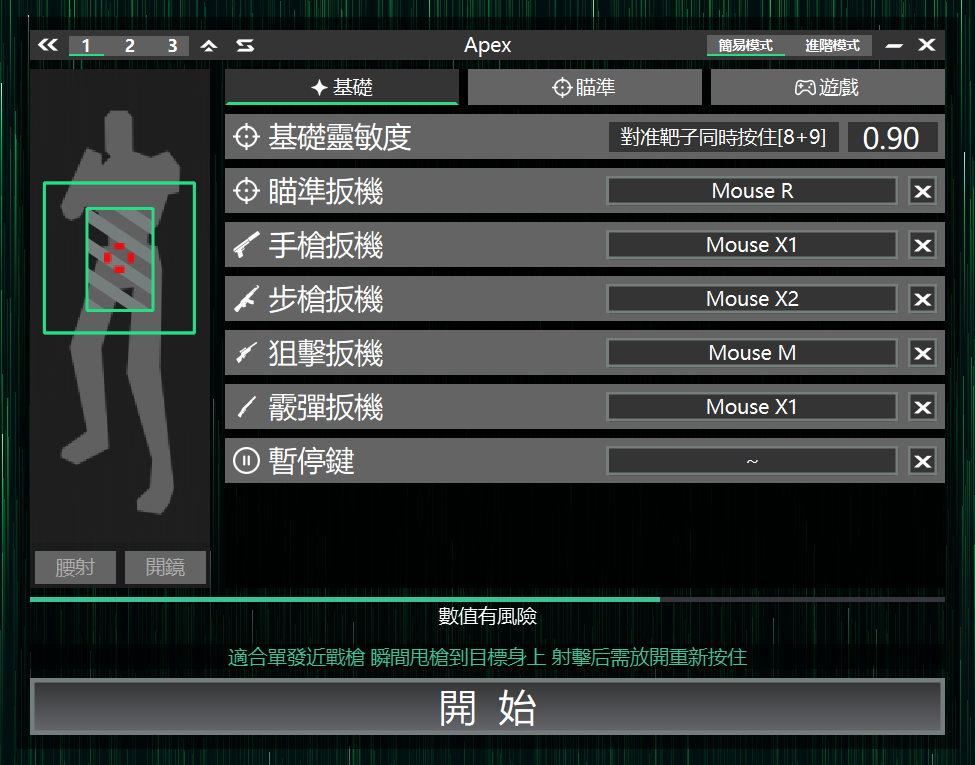
Base sensitivity
#Used to calibrate the same screen displacement to mouse movement, ensuring consistent crosshair movement across devices.
#Setup steps
1.Enable AIG Assist
2.Enter the game
3.Aim at a fixed target
4.Press and hold the top-row number keys 8 and 9 together
5.Wait until the crosshair stops moving to complete calibration
Aim Trigger
#Hold to enable aim; can be bound to the in-game ADS key.
Pistol Trigger
#Hold to enable aim; when the crosshair covers the target, auto-click the left mouse button. Suitable for single-shot weapons.
Rifle Trigger
#Hold to enable aim; when the crosshair covers the target, keep holding the left mouse button until the target disappears. Suitable for automatic weapons.
Sniper Trigger
#Hold to enable aim; when the crosshair covers the target, click the left mouse button once, then briefly stop aiming. Suitable for sniper weapons.
Shotgun Trigger
#Hold to search for targets; when a target is detected, the crosshair quickly snaps to the enemy position. Release and press again to trigger the next shot; suitable for shotguns.
#Special operation
Can be set to the same key as other trigger keys, letting other trigger keys quickly pull the crosshair at aim start to speed up firing rhythm.
This combination carries higher risk and may affect account safety